
SELECT A BOOK:


Document Content Buttons
Authoring Mode
The Authoring tab contains options for creating web pages using the WYSIWYG layout capabilities of QuarkXPress.
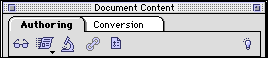
Attributes Inspector 
* Select the element on the page you want to modify, then click the Inspector. Modify and format text, image, Web Page, HTML, and multimedia elements. Override Preferences for individual elements.
Link 
* Create a hyperlink within a document or to a URL, as well as specifying target windows for frames.
Preview 
* Preview the selected Web page in a Web browser.
Export 
* Export your page to HTML. Click and hold to access the Export As... pop-up menu.
Preferences 
* Display the BeyondPress Preferences dialog box.
Conversion Mode
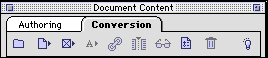
Conversion mode allows you to select individual text and image elements of an existing QuarkXPress document and reformat and reorder them without changing the document.
New Web Page 
* Add a new Web page to the document's Content List.
List Document 
* Add all content elements in a document to a Web page.
Add Items 
* Add selected boxes in the document to a Web page.
Add Text 
* Add highlighted text (and its box) to a Web page; create a Text Range.
Link 
* Create a hyperlink within a document or to a URL.
Segment Text Chain 
* Divide a text chain for export to different Web pages.
Preview 
* Preview the selected Web page or element in the preferred browser.
Preferences 
* Display the Preferences dialog box.
Delete 
* Delete the selected Web page or element from the document's Content List.


SELECT A CHAPTER:
SELECT A TOPIC:
Document Content Palette: Introduction
Document Content Buttons