
SELECT A BOOK:


SELECT A CHAPTER:
Overriding Web Page Preferences
If you're exporting more than one Web page from the same QuarkXPress document, both of the pages will have the same Web Page Preferences. However, you can change the formatting for each Web Page by using the Document Content palette.
To override Web Page Preferences:
Select the Web page  in the Content List and choose Modify from the HTML pop-up menu.
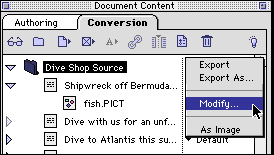
2 Uncheck Use Defaults and change any of the settings for the selected Web page.
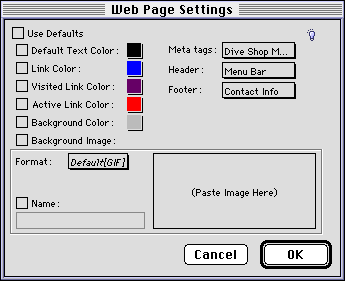
3 Click OK to close Web Page Settings and save changes.


SELECT A TOPIC:
Adding Headers, Footers, and Meta Tags
Overriding Web Page Preferences