
SELECT A BOOK:


SELECT A CHAPTER:
Editing or Deleting Master Elements
1 Open the HTML pane of the Elements palette (press Command-Control S, then click HTML).
2 You can edit or delete Master Elements that you create.
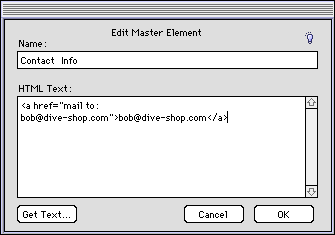
* To edit a Master Element, command-click on the Custom icon in the Master Element list corresponding to the element you want to edit. Use the Edit Master Element dialog box to define the new element. Click OK to close Edit Master Element and save changes.
* To delete a selected Master Element, click the Trash icon  on the HTML pane of the Elements palette.
Note: If the deleted Master Element is embedded in other Custom Elements, you will have to remove those references manually.
 Creating Custom and Master HTML Elements | Using Master and Custom Elements
SELECT A TOPIC:
Creating Custom and Master HTML Elements
Editing or Deleting Master Elements