
SELECT A BOOK:


SELECT A CHAPTER:
Adding Images to Web Pages
You have three options to add images to your Web pages:
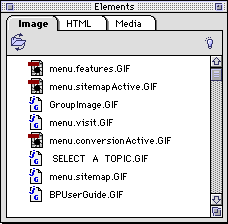
1 Press Command-Control-S to display the Elements palette and click on Select Folder  . Choose the folder that contains your images. By selecting this folder, it will become your Shared Images folder and images in the folder will be listed in the Elements palette. You can then drag the images directly onto your QuarkXPress page.
2 Draw a picture box on your Web page and select Get Picture.
3 Drag an image from the Finder onto your Web page.
Note: Linked images will be exported to HTML with a blue border. To prevent this, open the Attributes Inspector  , click on the image, and open the Scale and Alignment pane. Enter Border = 0. (You can also apply no borders to all images in Image Preferences.)
 Converting Text to an Image and Antialiasing | Setting Image Preferences, Part I
SELECT A TOPIC:
Adding Images to Web Pages
Setting Image Preferences, Part I
Setting Image Preferences, Part II
Specifying Image Format and Color Palettes
Changing the Transparency of GIFs