
SELECT A BOOK:


SELECT A CHAPTER:
Setting DHTML Layout Preferences
Introduction
You can control the alignment of Web pages in a browser window using the options in Layout Preferences. The options add attributes to the Table tags used by BeyondPress to approximate the layout of Web pages.
Click Preferences  on the Document Content palette, then click Layout.
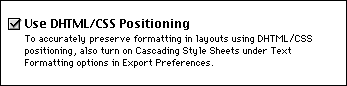
Use DHTML/CSS positioning to incorporate any combination of Style Sheets, JavaScript, Layering, Positioning, and Page Division, at the 4.0 browser level, intended to create movement or user interactivity.
Dynamic HTML (DHTML) allows for:
For more information on Dynamic HTML and Cascading Style Sheets please refer to the Microsoft DHTML site.
 Document Content Palette: Authoring Mode | Setting Layout Preferences I
SELECT A TOPIC:
Document Content Palette: Authoring Mode
Setting DHTML Layout Preferences