
SELECT A BOOK:


SELECT A CHAPTER:
Setting Layout Preferences, Part II
If DHTML/CSS positioning is not selected, then you can control the alignment of Web pages in a browser window using the additional options in Layout Preferences. The options add attributes to the Table tags used by BeyondPress to approximate the layout of Web pages.
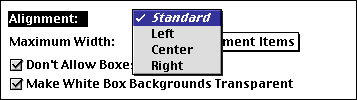
Alignment controls the horizontal position of Web pages as the layout is displayed in a Web browser.
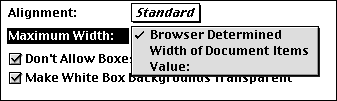
Maximum Width controls how Web pages are drawn horizontally by browsers.
Don't Allow Boxes to Shrink
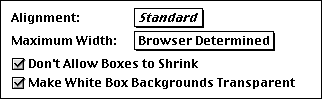
Checking Don't Allow Boxes to Shrink will insure the minimum size of the e text box objects on the QuarkXPress objects in the web page. Regardless of how little text may be in a text box, it will retain it's vertical spacing relative to the other objects on the Web page.
Checking Make White Box Backgrounds Transparent will insure that any text box with a white background will not be placed in a table cell with a background color on export.
 Setting DHTML Layout Preferences |Background Colors and Images
SELECT A TOPIC:
Document Content Palette: Authoring Mode
Setting DHTML Layout Preferences
Setting Layout Preferences