
SELECT A BOOK:


Image Settings of the Attributes Inspector
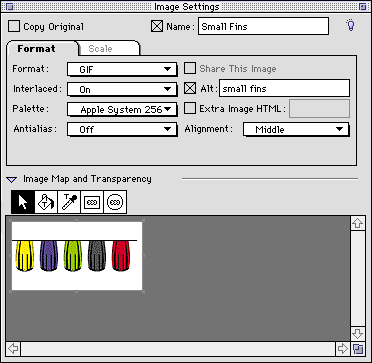
By clicking the Attributes Inspector  on the Document Content Palette: Authoring Mode and selecting a picture box, Image Settings will display. Image Settings will also display when you select an animated GIF file that you created from the Media pane of the Elements palette. Use Image Settings to override Image Preferences for a specific image.
Choose image formats, interlaced GIF or progressive JPEG, optimized color palettes, transparency, image maps, Alt tags, etc.
For more information, go to:
 Text Box Settings of the Attributes Inspector | Web Page Settings of the Attributes Inspector
SELECT A CHAPTER:
SELECT A TOPIC:
Attributes Inspector: Introduction
Text Box Settings of the Attributes Inspector
Image Settings of the Attributes Inspector
Web Page Settings of the Attributes Inspector