
SELECT A BOOK:


Font Names Preferences Panel
Control what fonts your Web page will display by choosing primary and alternate type faces. The primary and alternate type faces you specify in the CSS Font Info column apply to Cascading Style Sheet information and to the Font Face tag. If you use the font in the left column in your document, the font info in the right column will be specified in your Web page.
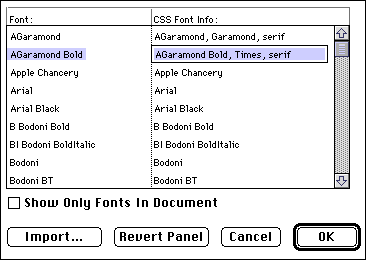
By default, Font Names Preferences will list all fonts installed on your system. To show only the fonts used the Web Page you have open, click Show Only Fonts in Document.
For more information about using fonts, click a topic:
Authoring Mode
* TrueDoc
Conversion Mode
* TrueDoc


SELECT A CHAPTER:
SELECT A TOPIC:
Font Names Preferences