
SELECT A BOOK:


SELECT A CHAPTER:
Changing Image Format and Color Palettes
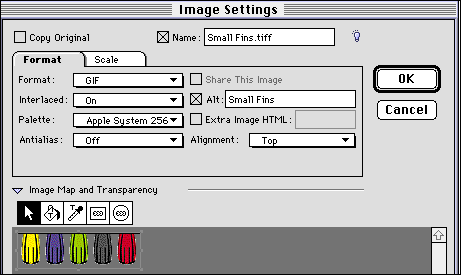
Select an Image  in the Content List and click Modify in the HTML column. Make any changes you wish, then click OK to close the Image Settings dialog box.
In the Image Settings dialog box, the Format and Palette pop-up menus settings reflect the current defaults in Image Preferences. The default settings are displayed in italics. Any options in Image Settings that are set to defaults will reflect changes made to Image Preferences.
 Specifying Image Format and Color Palette | Controlling Size, Scale, and Cropping
SELECT A TOPIC:
Setting Image Preferences, Part I
Setting Image Preferences, Part II
Specifying Image Format and Color Palette
Changing Image Format and Color Palette
Controlling Size, Scale, and Cropping
Controlling Text Runaround and Applying Borders
Changing Text Runaround and Borders
Changing the Transparency of GIFs